


Hover-1 Titan Speed, Bluetooth Setup & Comparison Guide: How Fast Is It Really?
If hoverboards were cars, the Hover-1 Titan would be the reliable daily driver—not a race car, but definitely not a snail either. So how fast is it really? Can it keep up with kids who think the sidewalk is a racetrack? And what about that Bluetooth speaker everyone keeps talking about?
Hover-1 Titan Review – So, you’re curious about the Hover-1 Titan hoverboard? Maybe you’ve seen one zipping around the neighborhood, lit up like a mini spaceship, and wondered what it’s all about. You’ve landed in the right spot. This guide isn’t just a list of specs; it’s your personal tour through everything Titan-related.
We’re going to break down how fast it really goes, how it stacks up against major rivals like GoTrax, and—crucially—how to master its tech features, from pairing the Bluetooth speaker to performing a reset when things get glitchy. Whether you’re a prospective buyer or a proud new owner, consider this your go-to resource for unlocking the full potential of this popular rideable.
Need for Speed: How Fast is the Hover-1 Titan?
Let’s address the need for speed first. The Hover-1 Titan is powered by dual 250-watt motors, which give it a top speed of 8 miles per hour (mph). To put that in perspective, that’s a brisk running pace. It’s fast enough to feel fun and freeing, especially for beginners and younger riders, but deliberately capped to prioritize stability and safety. This speed is maintained even on gentle inclines up to about 10 degrees.
How does this translate to real-world use? Imagine cruising on smooth pavement from your house to a friend’s a few blocks away. You’ll get there quickly without feeling like you’re in a race. Independent testers found that this 8 mph top speed is consistent and comfortable, though they noted the board feels best for lighter riders. It’s not designed for steep hill climbing or off-road adventures; it’s your sleek, futuristic sidewalk cruiser.

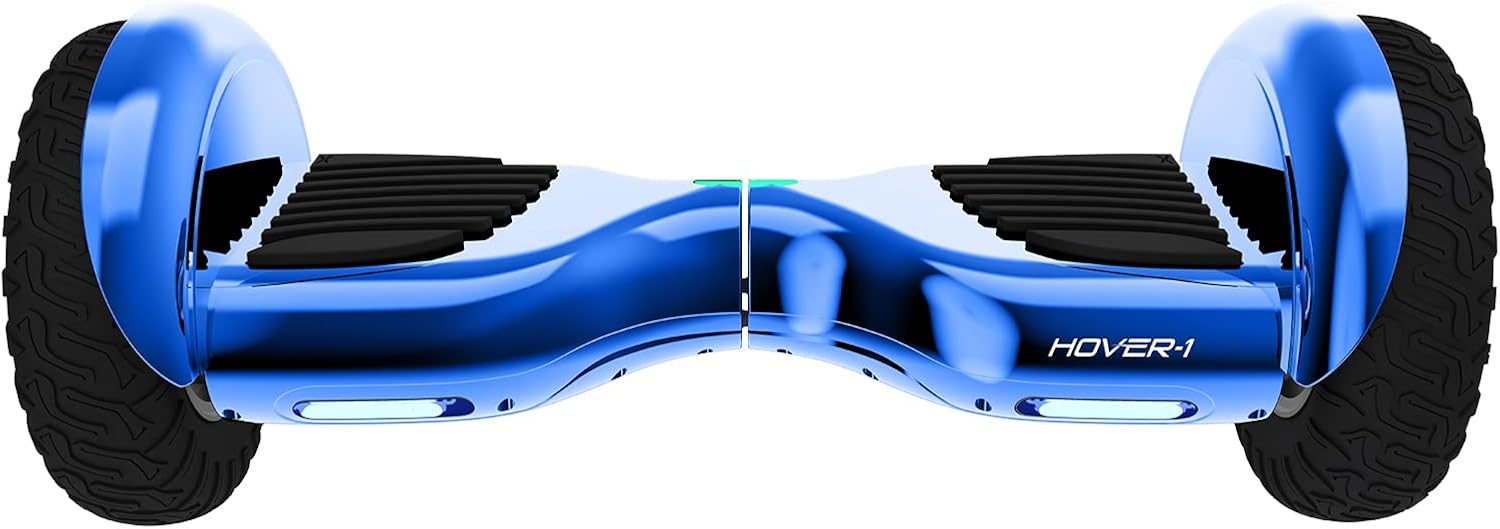



The Heart of the Ride: Key Features of the Titan
The Titan isn’t just about getting from A to B; it’s about the experience. Here’s what makes it tick (and glow):
- Self-Balancing Design: Perfect for beginners, the intuitive gyroscopic system helps keep you upright. You lean to go, and it responds.
- 10″ Non-Pneumatic Wheels: These solid rubber wheels never go flat. They offer a surprisingly smooth ride over cracks and provide excellent shock absorption, making most small bumps in the road a non-issue.
- Ultra-Bright LED Lights: Safety and style combine here. The built-in LEDs illuminate your path and make you highly visible to others at night.
- Built-in Bluetooth Speaker: This is the party piece. You can wirelessly connect your smartphone to play music, podcasts, or audiobooks directly from the board. No more tangled headphone cords!
- Impressive Battery Life: One of the Titan’s standout features is its longevity. You can expect up to 8 miles of range on a single charge, which takes about 4 to 5 hours to complete. In extended tests, some users have even reported ranges nearing 10.6 miles on flat ground, which is exceptional for its class.
How Fast Can a Hover-1 Hoverboard Go in General?
The Hover-1 Titan has a top speed of approximately 7 miles per hour, making it ideal for kids, beginners, and casual riders who want a safe and controlled hoverboard experience.
Hover-1 hoverboards typically fall into this range:
| Model Type | Top Speed |
|---|---|
| Entry-level | 6–7 mph |
| Mid-range | 7–9 mph |
| Performance models | 10+ mph |
1. Is the Hover-1 Titan Fast Enough for You?
| Rider Type | Recommended? | Why |
|---|---|---|
| Kids (6–12 years) | ✅ Yes | Safe speed, easy control |
| Teens (13–17) | ✅ Yes | Fun without being risky |
| Beginners | ✅ Yes | Gentle acceleration |
| Adults (Casual) | ⚠️ Maybe | Fine for light use |
| Speed Seekers | ❌ No | Consider GoTrax or Segway |
Hover-1 Titan vs. The Competition: A Head-to-Head Look
It’s natural to shop around. When looking at electric rideables, GoTrax is a major name you’ll encounter. It’s crucial to understand they operate in slightly different lanes. Hover-1’s Titan is a hoverboard (self-balancing scooter), while GoTrax primarily focuses on stand-up electric kick scooters. The riding experience and best use cases differ.
Let’s simplify this with a clear comparison:
| Feature | Hover-1 Titan (Hoverboard) | GoTrax GXL V2 (Typical E-Scooter) | Who It’s For |
|---|---|---|---|
| Top Speed | 8 mph | 15.5 mph | Titan: Beginners, younger users. GoTrax: Commuters, faster-paced riders. |
| Range | Up to 8 miles | Up to 12 miles | Titan: Short trips, fun rides. GoTrax: Longer commutes, exploring. |
| Rider Stance | Self-balancing, feet side-by-side. | Standing, with handlebars for steering. | Titan: Intuitive, “magic carpet” feel. GoTrax: Traditional scooter control. |
| Portability | Carry by hand, no folding. | Features a one-touch folding mechanism. | Titan: Less portable. GoTrax: Easy to fold, carry, or store on transit. |
| Best For | Recreational fun, learning, and short neighborhood trips. | Commuting (especially “last-mile”), faster-paced city travel. | Titan: Fun and leisure. GoTrax: Practical transportation. |

1. Which is better, Hover-1 or GoTrax?
The answer is: it depends entirely on what you want. If you seek a fun, intuitive, and flashy ride for casual use, the Hover-1 Titan is a fantastic choice. Its self-balancing nature is easy to learn, and the built-in speaker adds to the enjoyment.
If your goal is a more efficient commute, covering longer distances at a higher speed, a GoTrax electric scooter is likely the better tool for the job. Models like the GMAX offer ranges up to 42 miles, and the handlebars provide a sense of control preferred by many adults for daily travel.
Think of it this way: The Titan is like a fun, electric skateboard for your feet. A GoTrax scooter is like a compact, motorized bicycle for standing up. Both are awesome, but they serve different purposes.
Quick Comparison Table
| Feature | Hover-1 Titan | GoTrax Hoverboards |
|---|---|---|
| Top Speed | ~7 mph | 7–10 mph |
| Target Rider | Kids/beginners | Teens/adults |
| Bluetooth Speaker | Yes | Model-dependent |
| Price | Budget-friendly | Slightly higher |
| Ease of Use | Very easy | Moderate |
👉 Check today’s Hover-1 Titan price and availability here.
2. Hover-1 Titan vs GoTrax vs Segway
| Feature | Hover-1 Titan ⭐ | GoTrax Edge | Segway Ninebot S |
|---|---|---|---|
| Top Speed | 7 mph | Up to 9 mph | Up to 10 mph |
| Best For | Kids & beginners | Teens & casual riders | Advanced riders |
| Weight Capacity | ~220 lbs | ~176 lbs | ~220 lbs |
| Bluetooth Speaker | ✅ Yes | ❌ No | ❌ No |
| LED Lights | ✅ Yes | ✅ Yes | Minimal |
| Kart Compatibility | ✅ Yes | ❌ No | ❌ No |
| Ease of Learning | ⭐⭐⭐⭐⭐ | ⭐⭐⭐⭐ | ⭐⭐⭐ |
| Price Range | 💲 Budget-friendly | 💲💲 Mid-range | 💲💲💲 Premium |
| Best Deal | 🔥 Check Price | 🔥 Check Price | 🔥 Check Price |
2. Which One Should You Buy?
| Question | Choose Hover-1 Titan If… | Choose GoTrax If… |
|---|---|---|
| Speed matters most | ❌ | ✅ |
| Buying for kids | ✅ | ❌ |
| Bluetooth music | ✅ | ❌ |
| Budget is tight | ✅ | ❌ |
| Outdoor performance | ⚠️ | ✅ |
- Hover-1 Titan: Best for kids and beginners
- GoTrax: Better for speed-focused riders
3. Hover-1 Titan vs Hover-1 Drive
| Feature | Hover-1 Titan ⭐ | Hover-1 Drive |
|---|---|---|
| Top Speed | 7 mph | 7 mph |
| Bluetooth Speaker | ✅ Yes | ❌ No |
| LED Lights | ✅ Yes | ❌ No |
| Kart Support | ✅ Yes | ❌ No |
| Learning Curve | Very Easy | Easy |
| Best For | Kids + fun riders | Absolute beginners |
| Price | 💲💲 | 💲 |
👉 Verdict: If prices are close, the Titan is the better value—Bluetooth + LEDs alone justify it.
- Best overall: Hover-1 Titan
- Cheapest option: Hover-1 Drive
Your Tech Command Center: Pairing, Apps, and Resets
This is where we turn you from a rider into a power user. Mastering the Titan’s tech features will elevate your experience.
1. How to Pair Your Hover-1 Titan Bluetooth Speaker
Want to ride to your personal soundtrack? Pairing the speaker is simple:
- Power On: First, turn on your Hover-1 Titan.
- Enable Bluetooth: On your smartphone or audio device, go to the Bluetooth settings menu and ensure Bluetooth is turned on.
- Enter Pairing Mode: The Titan’s speaker should automatically enter discoverable pairing mode when the board is powered on. Look for a flashing Bluetooth indicator light on the board.
- Select the Device: On your phone, scan for new devices. You should see an option named something like “Hover-1 Titan” or similar. Select it.
- Confirm Connection: Once selected, your devices will pair. You’ll usually hear an audible confirmation tone from the hoverboard, and the Bluetooth light will become solid. You’re now ready to play audio from your phone through the board’s speaker.
Pro Tip: For the best experience, download the official Hover-1 Bluetooth App (available on iOS and Android). It allows you to do more than just play music; you can customize your scooter’s LED light patterns, check battery levels, and adjust riding modes.
2. The Ultimate Guide to Resetting Your Hover-1
Electronics sometimes need a fresh start. If your Titan is behaving erratically, won’t turn on, or has an unresponsive sensor, a reset is your first line of defense. Here are the primary methods, from simplest to most thorough.
Method 1: The Power Button Reset (The Quick Fix)
This is like restarting a computer. It clears minor software glitches.
- Turn the hoverboard completely off.
- If it’s plugged in, disconnect the charger.
- Press and hold the power button for 10-15 seconds. You might see lights flash.
- Release the button and wait 30 seconds.
- Turn the board back on normally. This resolves a surprising number of minor issues.

Method 2: The Calibration Reset (For Balance Issues)
If the board feels wobbly or won’t self-level properly, this resets its gyroscopic sensors.
- Place the hoverboard on a perfectly flat, level surface. This step is critical!
- Turn it off.
- Press and hold the power button. Keep holding until you hear a beep and see the LED lights flash (usually after 10-15 seconds).
- Release immediately. The board will power on with freshly calibrated sensors.
Method 3: The Battery Disconnect Reset (The Deep Clean)
For persistent, stubborn problems, this full power cycle is the most comprehensive solution.
⚠️ Safety First: Only attempt this if you are comfortable with basic tools. If the battery looks damaged or swollen, do not proceed—contact support.
- Turn off and unplug the board.
- Using a screwdriver, carefully remove the screws on the bottom deck plate to access the internal compartment.
- Locate the main battery connector (a plug with multiple wires) and gently disconnect it.
- Wait 60-90 seconds to ensure all power drains from the system.
- Reconnect the battery plug firmly, replace the deck plate, and screw it back on.
- Power up the board. This process resets the system to its factory-fresh state.
Maximizing Your Titan Experience: Safety and Care
To ensure your hoverboard lasts and you stay safe, keep these essentials in mind:
- Weight Limit: The Titan supports riders up to 264 pounds (120 kg). Staying within this limit is crucial for performance and safety.
- Keep It Dry: This is non-negotiable. The Titan is not waterproof. Riding in rain, through puddles, or on wet grass can cause severe damage, electrical shorts, and is a fire hazard. If it gets wet, do not turn it on or charge it.
- Certified Safety: Look for the UL 2272 certification. This means the electrical system, including the battery, has passed rigorous safety tests to prevent fires. The Hover-1 Titan has this certification.
- Use the Right Charger: Always use the official charger that came with your hoverboard. Using an incompatible charger can damage the battery or create a safety risk.
Conclusion: Is the Hover-1 Titan Right for You?
Hover-1 Titan Review – The Hover-1 Titan hoverboard carves out a specific and enjoyable niche in the world of electric rideables. It’s not the fastest vehicle on the sidewalk, and it’s not built for long-distance commuting. What it offers is a uniquely fun, accessible, and stylish riding experience.
Its 8 mph top speed is perfect for casual enjoyment, its long battery life means the fun doesn’t end quickly, and features like the LED lights and Bluetooth speaker add layers of entertainment. When compared to brands like GoTrax, the choice comes down to riding style: choose the Titan for intuitive, recreational fun, and opt for a commuter scooter for practical, faster-paced travel.
By following the pairing and reset guides, you can ensure your Titan provides smooth, musical rides for a long time. So, strap on your helmet, pair your favorite playlist, and enjoy the glide.
Is the Hover-1 Kart Attachment Worth It?
| Feature | Hover-1 Titan Only | Titan + Kart Attachment |
|---|---|---|
| Riding Style | Standing | Seated |
| Learning Curve | Moderate | Very easy |
| Stability | Good | Excellent |
| Fun Factor | ⭐⭐⭐⭐ | ⭐⭐⭐⭐⭐ |
| Speed | 7 mph | 7 mph |
| Best For | Balance practice | Younger kids/beginners |
- Speed remains the same
- Kart improves safety and control
- Ideal for beginners and children
👉 Check today’s Hover-1 Titan price and availability here.
FAQs
- Can I attach a kart seat to my Hover-1 Titan to make a hoverboard go-kart?
Yes, you can! The Hover-1 Titan is compatible with kart attachments like the Beast Buggy. These attachments convert your standing hoverboard into a seated go-kart, offering a different and fun way to ride. - My Hover-1 Titan won’t turn on even after charging. What can I do?
This is often due to the battery entering a “sleep mode” after being fully depleted. Try this: plug in the charger, then carefully lift the board and manually spin the wheels by hand for 10-15 seconds. This can “wake up” the battery management system. Then, let it charge fully before trying again. - Is the Hover-1 Titan good for riding on grass or dirt paths?
It can handle hard-packed dirt and very short, dry grass, but it’s not designed for it. The 250-watt motors can struggle on soft or uneven terrain. For best performance and battery life, stick to smooth, paved surfaces. - How do I know if my hoverboard is safely certified?
Always check for UL 2272 certification. This is the standard for self-balancing scooters in the United States and indicates the electrical system has passed critical safety tests. The Hover-1 Titan is UL 2272 certified. - I’m an adult. Will I find the Hover-1 Titan too slow or underpowered?
It depends on your expectations. If you’re looking for a thrilling, high-speed vehicle, then yes, you might. The Titan is optimized for stability and beginner-friendliness. Many adults enjoy it for relaxed, casual riding. If you want more speed and power, you would likely be happier with a full-sized electric scooter from GoTrax or another brand. - How fast is the Hover-1 Titan hoverboard?
The Hover-1 Titan has a top speed of approximately 7 mph, making it ideal for beginners and younger riders. - Does the Hover-1 Titan go faster with a go-kart attachment?
No, the speed remains the same at around 7 mph, but it feels faster due to the seated position. - Why won’t my Hover-1 Titan Bluetooth connect?
It’s usually due to a pairing conflict. Reset the hoverboard and reconnect via your phone’s Bluetooth settings. - How do I reset my Hover-1 Titan hoverboard?
Turn it off, place it on a flat surface, hold the power button for 10–15 seconds, then turn it back on. - Is Hover-1 better than GoTrax?
Hover-1 is better for kids and beginners, while GoTrax is better for higher speeds and experienced riders.
| Hoverboard Collections Near You | |
|---|---|
 |  |
| Buy From Amazon | Buy From Walmart |
You Might Also Like
- Hoverboard Best Sellers on Amazon 2025
- Hoverboard Cheapest Price
- All Terrain Hoverboard With Bluetooth
- Hoverboard Black Friday Deals
- Hover-1 Rogue Electric Review
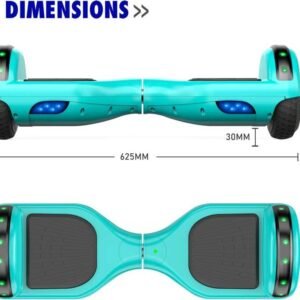
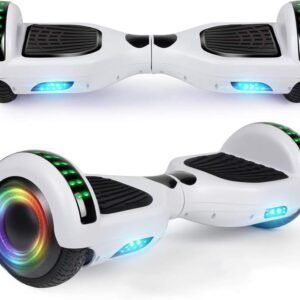
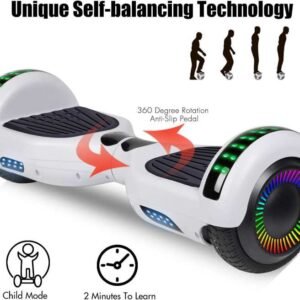
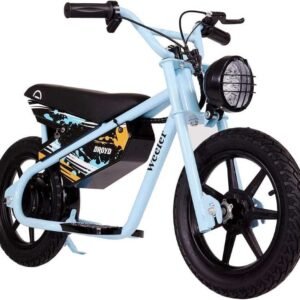
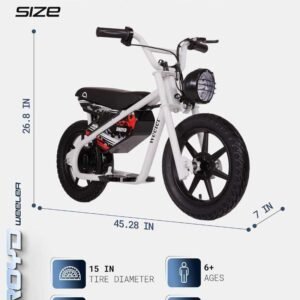
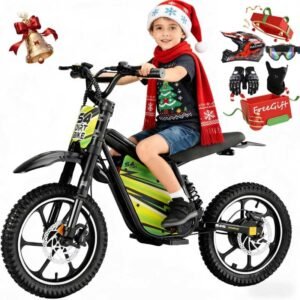
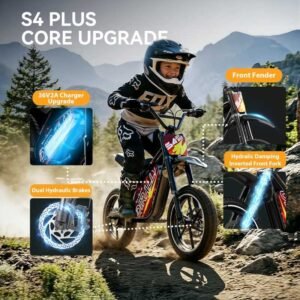
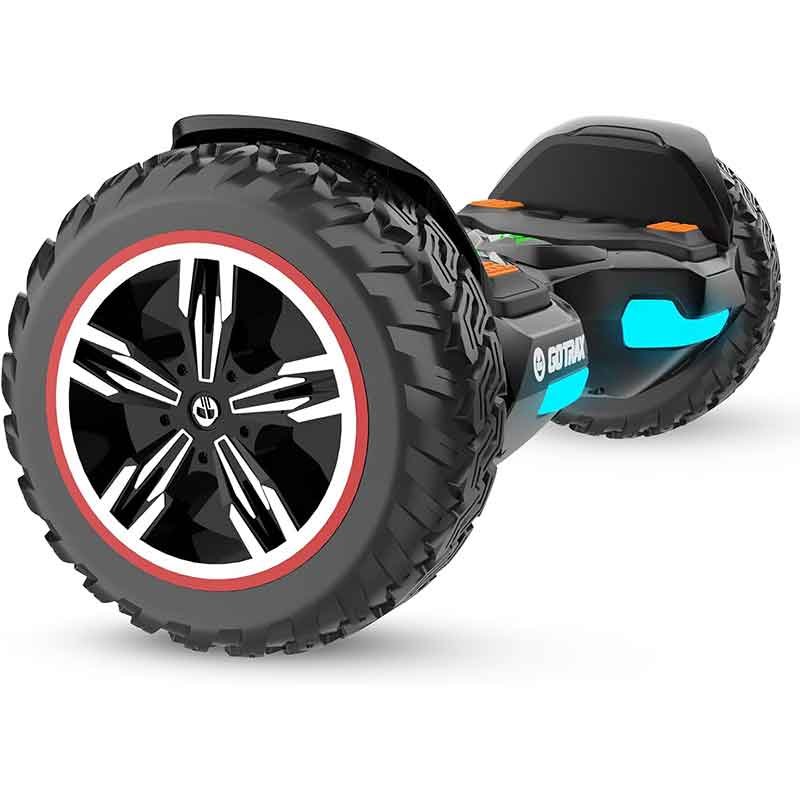
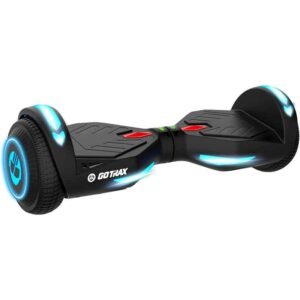
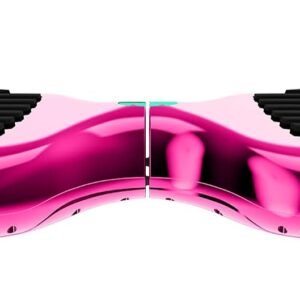
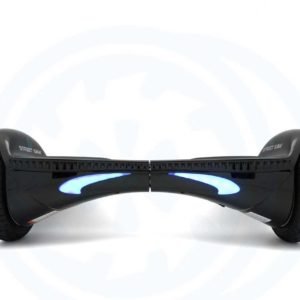
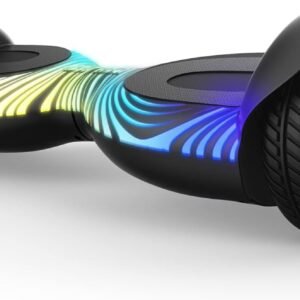
 H1 is powered by two 200W motors that enable it to climb 15 degree inclines and reach a 9 mph top speed. The 6.5″ solid wheels provide a smooth and enjoyable ride.